
The wait is finally over! And just in time for the holidays :). If you can’t wait until the end of this blog post to get your hands on our free app, then head directly to the App Store to download Redfin for iPad right now. Otherwise, read on for all the glorious details.
Why did we take the extra time to customize an app for the iPad when we could have simply tinkered with our top-rated real estate app for iPhone to make it work on the iPad? Taking the easy road has just never been our thing. Plus, we couldn’t contain our excitement for all of the awesome stuff that we could pull off with the iPad.
We built our iPad app from scratch to take advantage of iPad’s delightful user experience and to bring every detail we can about each home that interests you right to your fingertips. In addition, we added several exciting, new features to this release such as the option to view homes in a photo gallery or on a map, and a smart, new sort option called the “Redfin Special Blend.” The new sort option prioritizes the homes we think will be most interesting to you (i.e. Redfin has more information about them such as comments left by Redfin agents who have seen the home in person). But the thing we love most about Redfin for iPad is how fun it is to scroll through the full-screen photos and zoom in for a closer look at each home. Be careful, it’s addictive!
Here’s a quick tour through Redfin for iPad’s most exciting features:
Find homes nearby. Our app uses your iPad’s GPS so you can quickly and easily locate nearby homes for sale and open houses.

You’ll know it when you see it. We love maps but we also think you’ll agree that a photo gallery is a convenient way to quickly discover homes that catch your eye. The photo gallery feature is particularly useful once you’ve narrowed your search down to a specific neighborhood.
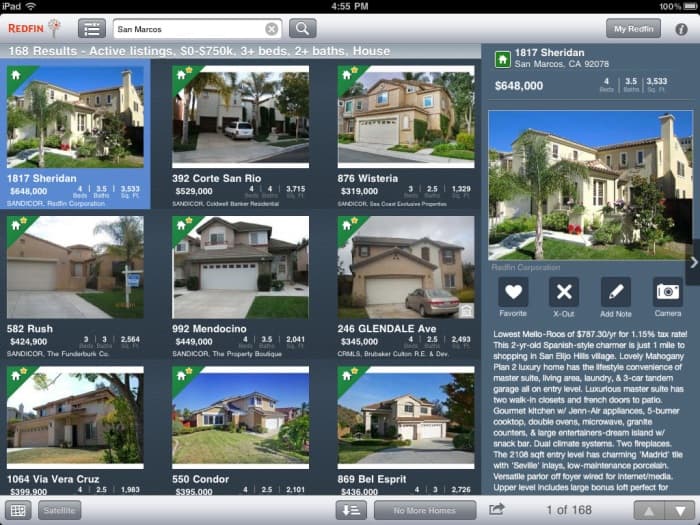
All the home photos and details you crave on one big screen. With just one swipe you’ll find photos and all the details about a home including property history and Redfin Agent Insights, comments left by Redfin agents who have seen the home in person. Plus, it’s all on one screen.
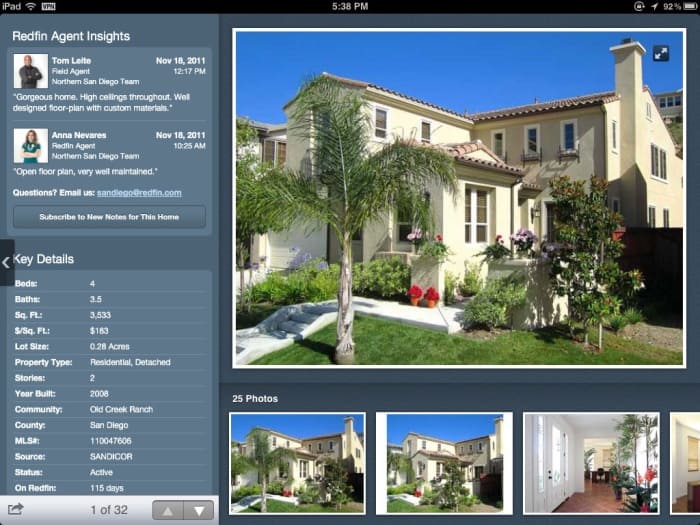
Have fun! Swipe through full-screen photos and then zoom in for a closer look.

Share it with a friend or friends. With one tap you can share a home you like with a friend in email or post it for your followers on Twitter, and all without leaving the app.
Stay in sync. Don’t worry, all of your old standbys are still here. When you sign in to your account, you can save searches, mark your favorites or x-out out the ones you don’t like, and even store notes and photos. Everything you do on the iPad app stays in sync so you can pick up from where you left off when you return to your computer or use a different mobile device.
Love the app? Help us out and write a review!
Found some room for improvement? Leave a comment here or drop us a line at support@redfin.com.

 United States
 Canada